
Overview
As of November 4, 2026, open policies support for AWS API Gateway is available. Now, you can configure a policy once in the Policy Library and apply it across Omni Gateway, Apigee, Azure API Management, Kong, and now AWS.
In September, we released open policies for federated gateways and said AWS was next. This release delivers it.
The Problem
While MuleSoft provided discovery and reporting for assets behind AWS API Gateway, enforcing policies directly required manual configuration within AWS. Changing an AWS setting means working in AWS itself.
For teams that also run Apigee, Azure, or Kong, the same standard had to be set by hand for each gateway requiring multiple accounts, browser windows, and an understanding of each of the platforms. And worst of all, the settings could drift apart.
The Use Case
A platform team runs APIs on AWS API Gateway and on other gateways. It wants one IP allowlist, one CORS rule, and one set of request headers on all of them, set once and applied in one pass.
The result is fewer settings to maintain by hand, and one standard that reads the same on every gateway.
The View
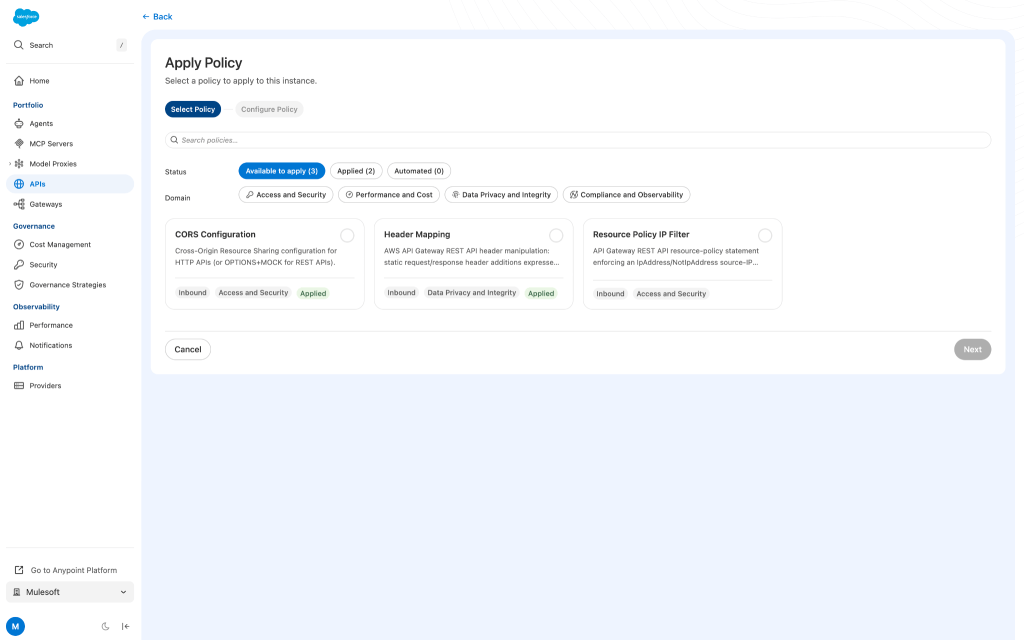
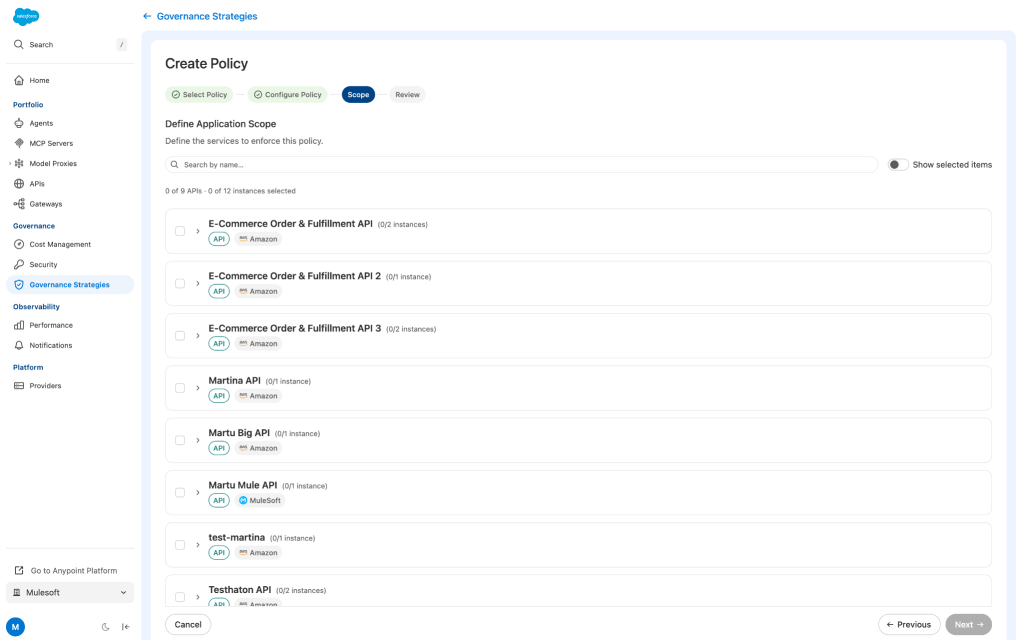
In the Policy Library, select a policy and configure it once. Choose your AWS instances alongside instances on other gateways, then review and apply. Each instance reports its own result in its Activity log.
AWS API Gateway has no policy object to create, so MuleSoft maps each open policy to the matching AWS setting:
- IP Allowlist: an API Gateway resource policy.
- CORS: the API Gateway CORS configuration.
- Header Manipulation: header injection through API Gateway parameter mapping.
After you apply a policy, it behaves like any other AWS configuration. There is no separate open object to edit.
Get Started
You need the Organization Administrator role and either the Governance Administrator or Manage Policies permission, for any open policy.
Your AWS scanner connection also needs write access to API Gateway: apigateway:GET to read, and apigateway:PUT, apigateway:POST, apigateway:PATCH, apigateway:DELETE, and apigateway:UpdateRestApiPolicy to apply policies. Use a single-account connection, because cross-account connections that use a hub role aren’t supported. Without write access, the instance stays read-only until you update the connection.
- Connect your AWS account with a scanner, if you haven’t already.
- On an AWS instance, select Apply Policy to open the Policy Library.
- Select a policy, configure it, select your instances, then review and apply.
The full steps are in Apply Open Policies, and the model is in the open policies overview.
What to Know
- On AWS: IP Allowlist, CORS, and header injection. AWS doesn’t support header removal.
- Not on AWS yet: API Key Enforcement and JWT Validation.
- Scope: Policies apply to the stage you select on a deployed REST API. They start from the stage’s latest deployed version, so undeployed changes can be overwritten. Path-level, operation-level, and cross-account application aren’t included.
Demo

What’s Next
AWS joins Omni Gateway, Apigee, Azure, and Kong as a target in the Policy Library, so one library covers all five. Start with one policy on one AWS instance, then widen.


