The Anypoint Code Builder August 2026 release is all about eliminating the friction points that stall your development cycle. We know that navigating complex library dependencies, managing API specification versioning, and wrestling with scheduler-triggered flows can become challenging. This release introduces significant enhancements designed to streamline these workflows, ensuring you spend less time troubleshooting and more time building.
Go to Flow for Reusable Libraries
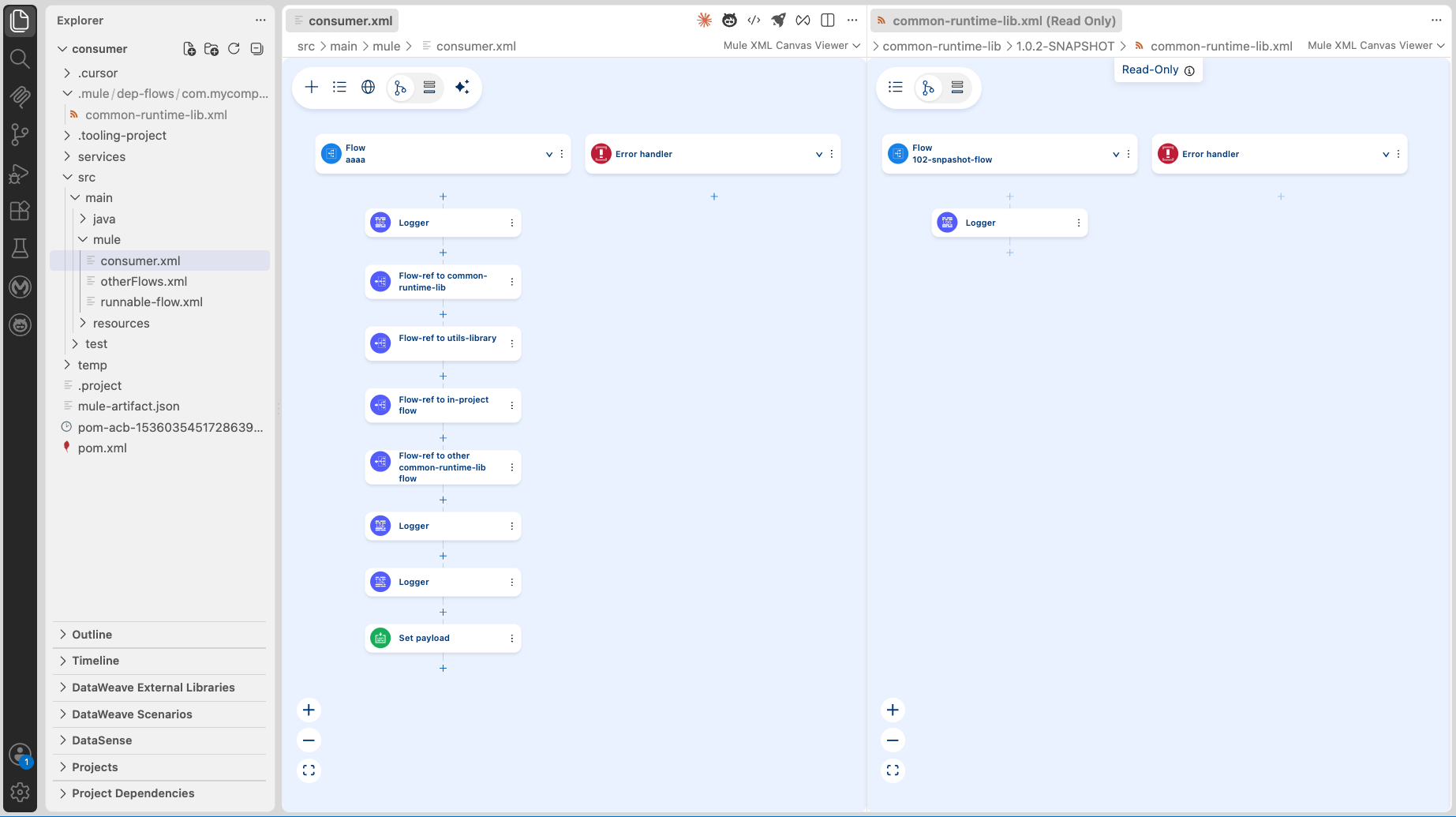
Common logic—such as error handling, logging, and shared orchestration—often resides in reusable libraries imported as JARs. Previously, “Go to Flow” ignored flows in these external libraries, limiting your visibility across project boundaries.
ACB now resolves <flow-ref> targets across both local XMLs and imported library JARs. Navigate to an external flow and it opens in a read-only view — inspect its structure and configuration without needing the source project. Works at design time and during debugging.
Why it matters: Gain full traceability across project boundaries, increased debugging confidence when stepping into shared logic, and feature parity with Anypoint Studio.API Version Change & Re-scaffold — A First-Class UI Workflow
API Version Change & Re-scaffold — A First-Class UI Workflow
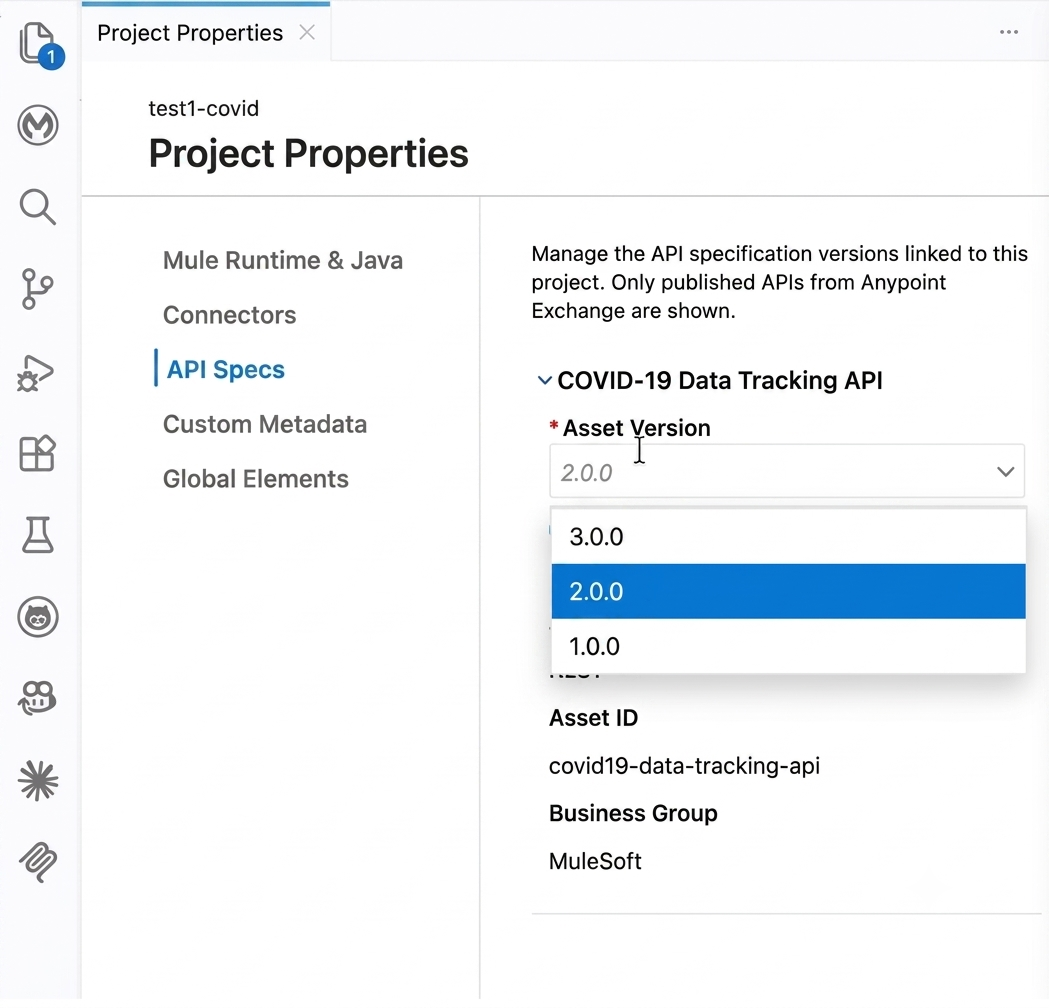
Updating a project to a new API version used to involve hunting through the Command Palette—a process often lacking clear notifications or error handling during re-scaffolding failures.
Now from Project Properties, you can see your current API version, browse available versions, and trigger a re-scaffold through a guided workflow. You’ll receive notifications when new versions are available on Exchange, and get clear error messaging with recovery options when things fail — whether it’s incompatible dependencies, Exchange unavailability, or merge conflicts with your customized flows.
Why it matters: The version change workflow is now discoverable, guided, and resilient — no more hunting through the Command Palette.
Debugger Support for Scheduler-Triggered Flows
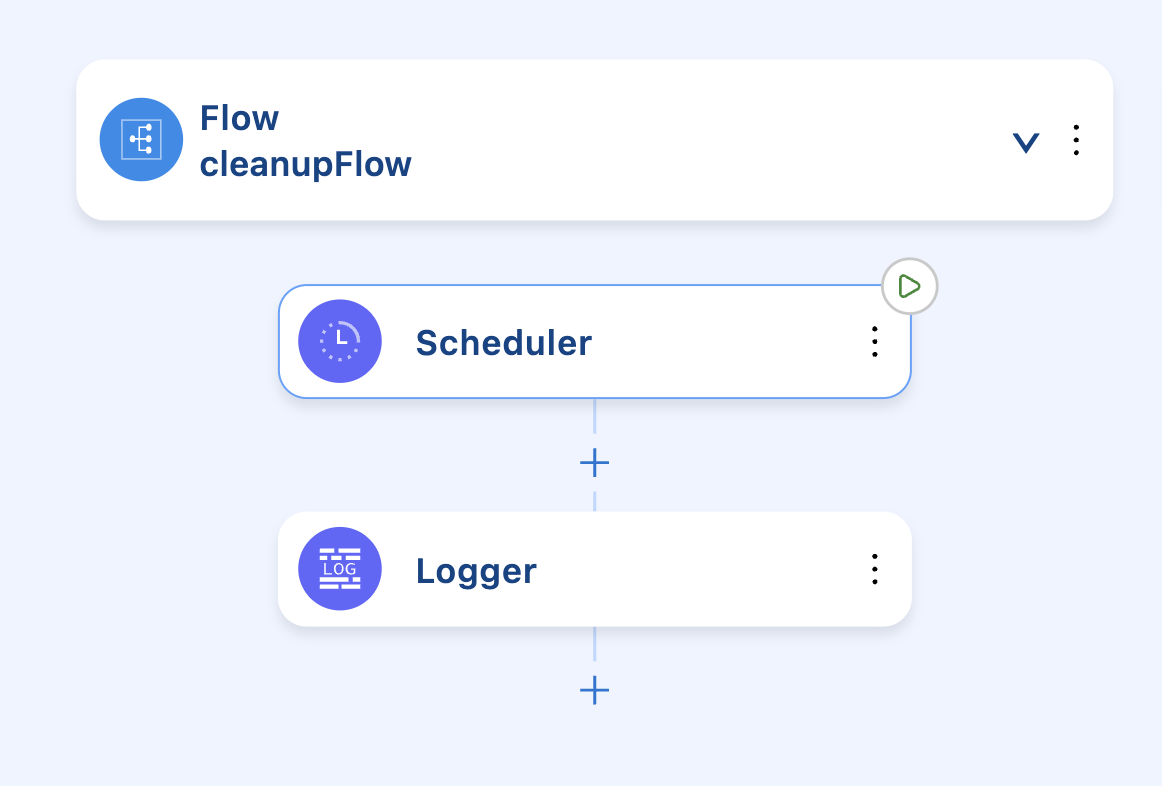
Debugging a scheduler-triggered flow meant racing the clock — the scheduler keeps firing, hitting breakpoints repeatedly, and creating noise that makes it impossible to step through a single execution cleanly.
In debug mode, ACB now automatically suppresses the scheduler. It won’t fire on its own. Instead, you get a manual trigger to execute the flow once, on demand. Set your breakpoints, trigger when ready, step through without interference.
Why it matters: Achieve clean, single-execution debugging without the interruption of repeated triggers, mirroring the controlled behavior that Studio developers rely on.
Get Started
Download the latest Anypoint Extension Pack (v1.25) from the Visual Studio Marketplace. For the full list of enhancements and bug fixes, see the release notes.