You just discovered a new API in Exchange or an MCP server published to your catalog. Before writing integration code, you need answers: What does this endpoint return? Does this OAuth flow work? What does this MCP tool return when I call it?
Previously, answering these questions meant copying endpoints into an external tool, configuring authentication, and finally testing it out. These constant micro-context switches—repeated dozens of times per week across an integration team creates friction that compounds into hours of lost productivity.
MuleSoft has launched the MuleSoft Playground, an embedded testing experience that is available on our Enhanced Experience, aiming to help you understand and validate a service faster. With this release, users can test REST APIs and MCP servers directly in the platform where you discover and govern them without context switching.
What is MuleSoft Playground?
MuleSoft Playground is an embedded testing interface available on API and MCP server detail pages in the Enhanced Experience catalog, built to help you discover, understand, and validate a service
Zero setup: Service definitions, authentication configurations, and instance metadata are already loaded from the platform. No manual copying or configuration required.
Authenticated execution: Playground enforces full role-based access control. You authenticate using your platform credentials, OAuth flows, or API keys before any request executes.
Flexible testing: Send API requests with JSON, XML, form-encoded, or file upload bodies. Browse MCP tools, configure parameters from their schemas, and execute tests with a three-panel interface.
Easy sharing: Copy request configurations or response payloads with one click to share with teammates or paste into documentation.

Faster, More Efficient Testing with MuleSoft Playground
Skip setup, start testing immediately
When you discover a new API or MCP server in the MuleSoft Enhanced Experience catalog, you shouldn’t need to spin up an external tool just to understand what it does. Playground loads service definitions, authentication, and instance metadata directly from the platform, eliminating the setup overhead that adds up across your team.
Faster Understanding and Validation
For teams discovering and deploying MuleSoft services:
- Immediate understanding (at discovery): The moment you find a service in the catalog, confirm it actually works and how it works before investing further. For example, you find a Get Customer Orders operation you’ve never used—open Playground, send a request, and see a real response in seconds instead of spinning up Postman first.
- Schema exploration (before you write code): Understand exactly what a request or tool call needs and what it returns, so your integration code isn’t guessing. For example, for an MCP server, before wiring a search_inventory tool into an agent workflow, use Playground to inspect its input schema and run it with parameters so you know what the tool expects and returns before your agent depends on it.
- Post-deployment validation (after publishing): Confirm a live endpoint behaves correctly right after publishing, without leaving the platform. For example, after pushing a new version of an API to CloudHub, open Playground on the same detail page and re-run a request against the new instance to verify the deployment succeeded, instead of waiting for a downstream consumer to report an issue.
Platform context external tools don’t have
External tools can execute a request, but they don’t know about your governance policies, instance configurations, or deployment status, and you have to bring that context yourself. Playground tests with full platform context:
- Service definitions: API specs and MCP schemas already loaded
- Authentication flows: OAuth 2.0, API keys, Bearer tokens pre-configured
- Governance context: Applied policies and security configuration are enforced automatically, the same way they would be for any other caller
- Environment-specific testing: You choose which instance you’re hitting, so you always know where a response came from
- Request history: Your last 10 requests, so you can iterate without rebuilding from scratch
Security and credential isolation
Playground enforces full role-based access controls and requires active authentication before executing any request. Test credentials and tokens you enter are session-bound: they remain isolated in browser memory within your active tab with an automatic 1-hour expiration limit. Zero credentials, auth headers, or payloads are permanently stored on the platform, preventing accidental exposure across teams or environments.
API Playground: Test REST APIs Without Leaving The Platform
API Playground brings visual REST API testing directly into service detail pages. You can now validate endpoints, test authentication flows, and debug responses to understand and validate an endpoint the moment you find it or deploy it. No need to switch to external API clients or manually configure third-party tools.
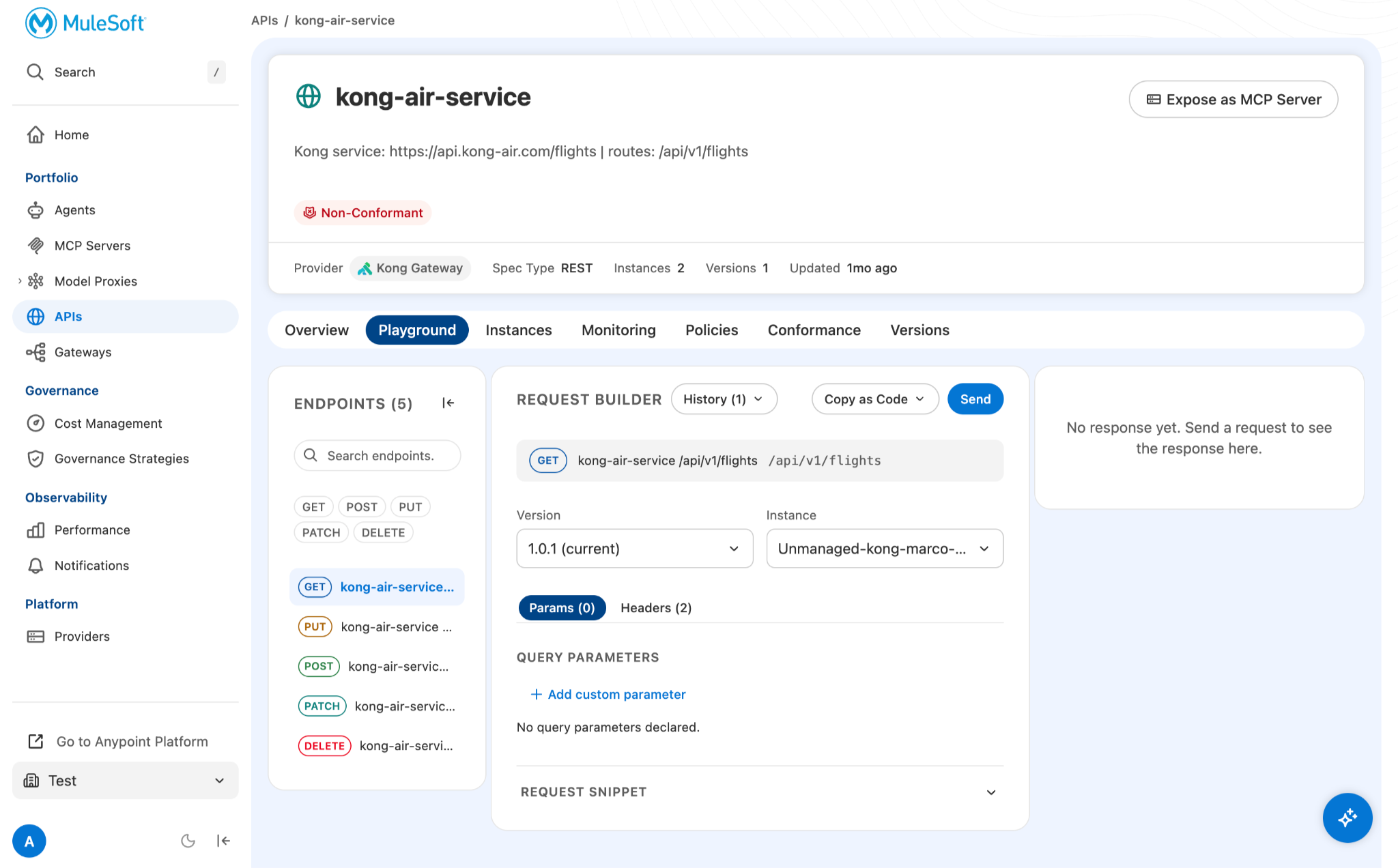
Key Capabilities
- Endpoint selection: Browse all operations from the API specification
- Authentication methods: OAuth 2.0 (all flows), API keys, Bearer tokens, Basic auth
- Request configuration: Path parameters, query strings, headers, and multi-format bodies
- Response inspection: Status codes, headers, body content, timing metrics
- Request history: Review the last 10 test runs to iterate on configurations
- Code export: Generate curl, HTTP, Python, or JavaScript snippets for documentation and scripts
With API Playground, you can:
- Test authentication flows before writing integration code
- Validate API responses against expected schemas
- Debug failing requests with full request/response visibility
- Share working configurations with your team by copying requests or responses
Example use case: validating a newly deployed API
An integration developer discovers a customer data API in the catalog and needs to understand what it returns before building an integration.
Before Playground:
- Copy the endpoint URL from the MuleSoft Anypoint Exchange API detail page
- Open Postman or another external testing tool
- Manually paste URL and configure authentication credentials
- Look up required parameters from documentation
- Send a test request and inspect the response format
With API Playground:
- Navigate to the API detail page in Enhanced MuleSoft Experience
- Open the Playground tab (endpoint and authentication mechanisms are already loaded)
- Select the operation and configure any required parameters
- Send a test request and inspect the response structure
- Continue exploring other APIs or move to implementation without leaving the platform
The entire discovery takes under 2 minutes instead of 5-10 minutes of setup.
MCP Server Playground: Test MCP Tools With Visual Interface
MCP Server Playground provides a three-panel testing interface for Model Context Protocol servers. You can now discover tools, validate schemas, and test execution workflows, so you can discover what a server offers and validate that it behaves as expected before building on it. No need to set up desktop AI tools or command-line inspectors.
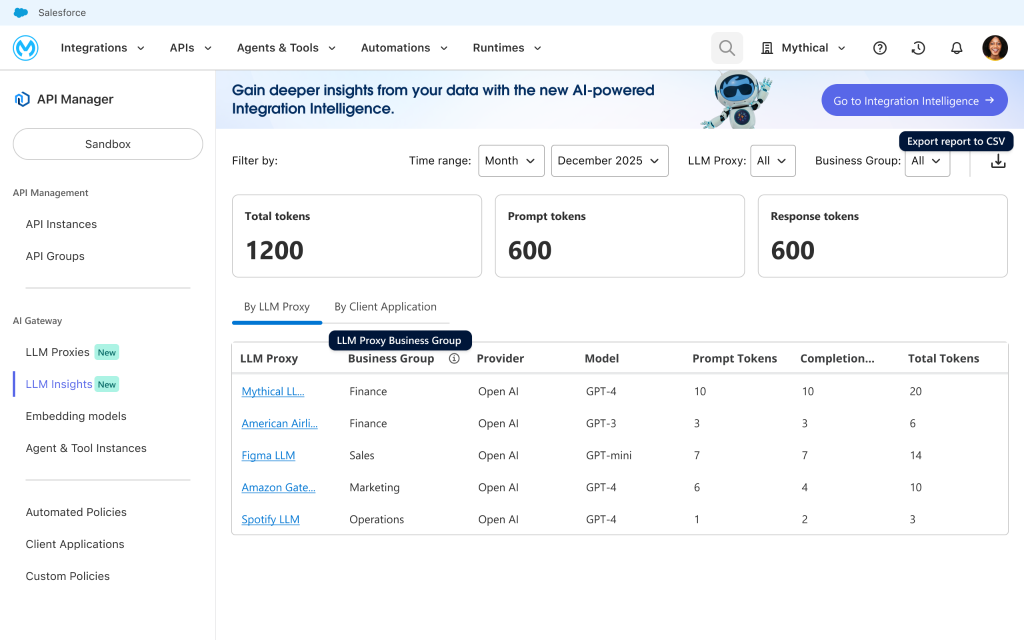
Key Capabilities
- Tool discovery: Automatically load available tools from the MCP server definition
- Schema-based configuration: Input parameters auto-populate from tool schemas
- Execution testing: Run tools and inspect results in real-time
- IDE integration: “Use this server” button for one-click setup in VS Code or Cursor
With MCP Server Playground, you can:
- Discover all tools exposed by an MCP server and inspect their schemas
- Test tool execution with sample inputs to verify responses
- Connect to your IDE (VS Code or Cursor) with one-click integration
Example use case: MCP tool discovery
A service developer sees a new MCP server published to the catalog and needs to understand what tools it exposes before integrating it into an agent workflow.
Before Playground:
- Install MCP Inspector or another command-line tool
- Configure the MCP server connection manually
- Browse available tools and read schema documentation
- Test execution with sample inputs
- Document working configurations for the team
With MCP Playground:
- Navigate to the MCP server detail page in Enhanced MuleSoft Experience
- Open the Playground tab (all tools are already loaded)
- Select a tool to inspect its schema with auto-populated parameters
- Execute with test inputs and see live results
- Click “Use this server” for one-click IDE integration
Discovery and validation happen in minutes without external tool setup.
What’s next: expanding Playground capabilities
The initial August 2026 release focuses on visual testing for REST APIs and MCP servers. Future enhancements will expand these capabilities:
Headless and MuleSoft Agent (Q3 2026)
- MCP server access to Playground: Access Playground testing capabilities through Slack, CLI, or other interfaces without opening the web UI.
- MuleSoft agent assistance: Let the MuleSoft agent help you test APIs and MCP tools, generate test configurations, and debug responses through natural language conversation.
Service type and region expansion
- Additional service types (Q4 2026): Expand instant validation to LLM Proxies and Agent Playground as those surfaces mature in the Enhanced Experience platform.
- Regional expansion (Q3 2026): API Console Proxy currently supports EU and US regions, with coverage expanding to Japan, Australia, India, and Canada.
Extended protocol and service support
- Expanded API protocol support: Beyond REST APIs, add support for GraphQL,gRPC, and more types for endpoint validation within the same interface.
- MCP resources and prompts: Extend MCP Server Playground beyond tools to include resource browsing and prompt template testing for complete MCP protocol coverage.
- Standalone Playground experience: Access Playground on its own, without navigating into a specific API or MCP server detail page first.
- More in-depth exploration and testing: Dynamic parameter value generators, a mock mode for testing without a live backend, and more.
Getting started with MuleSoft Playground
MuleSoft Playground is available now in Enhanced MuleSoft Experience. To start testing:
For API testing
- Navigate to any REST API in your Enhanced MuleSoft Experience catalog
- Open the Playground tab on the service detail page
- Select an endpoint and choose your authentication method
- Configure request parameters, headers, and body
- Send the request and inspect the response
- Review execution history to compare results
For MCP server testing
- Navigate to an MCP server in your catalog (must have Exchange metadata)
- Open the Playground tab
- Browse available tools in the left panel
- Select a tool and configure input parameters
- Execute and inspect results in the right panel
- Use the “Use this server” button for IDE integration
MuleSoft Playground brings API and MCP server testing directly into the platform where you discover and govern services – so discovery, understanding, and validation happen in one place. Test endpoints, validate authentication, and explore tool schemas without switching tools, eliminating the setup overhead that compounds across your integration team.
Access MuleSoft Playground from any API or MCP server detail page in your Enhanced Experience environment.
Learn more
- Read the Playground documentation for comprehensive guides on API and MCP testing
- Get started with MuleSoft Enhanced Experience
- Watch our product demonstration