Even today, when integrating with critical backend systems (e.g. order fulfillment system and shipping management system), it is quite common to encounter data being transferred in flat file format. Often the records to be transferred will need to be sorted and de-duped before they can be inserted into another system. For example, there could be multiple update entries for the same item and the sequence of the update calls is important. Here we would like to show you an example of how to leverage Mule’s built-in support for in-memory databases to make it really easy to perform such tasks when working with flat files.
Out of the box, Mule supports HSQL, H2, and Apache Derby. The example here will use Apache Derby but the configuration is essentially the same for all three.
latest report
Learn why we are the Leaders in API management and iPaaS
First thing you will need to do, is to configure your JDBC connection. Note that the use of Apache Derby JDBC driver, also, where you put the name of the database (e.g. “blogdemo” in this case.):
In addition, you will need to initialize the database by implementing the Spring InitializingBean interface. When Mule starts, the initialization process will create the tables you plan to use. For our example, we will just create couple tables to illustrate the process:
With the corresponding element in your flow:
These should be global elements of your application:
From here on, you can just use your in-memory database like any regular relational database in your application:
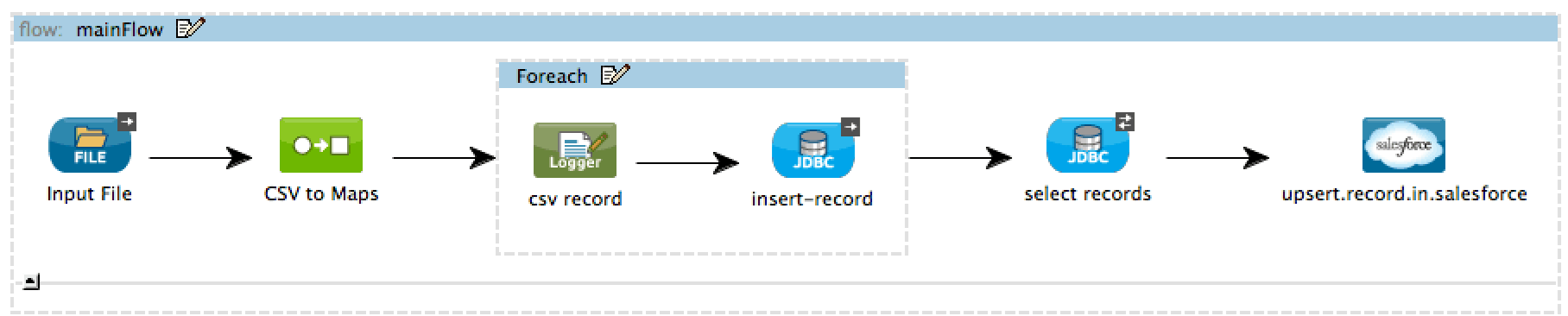
For example, if your requirement calls for upserting records from a csv input file into Salesforce.com in sequence based on last modified time:
With in-memory database, the flow can be simplified down to just a handful of steps:
With the records now stored in a relational database table, all the SQL query functionality can be utilized to process the data to meet your requirements.
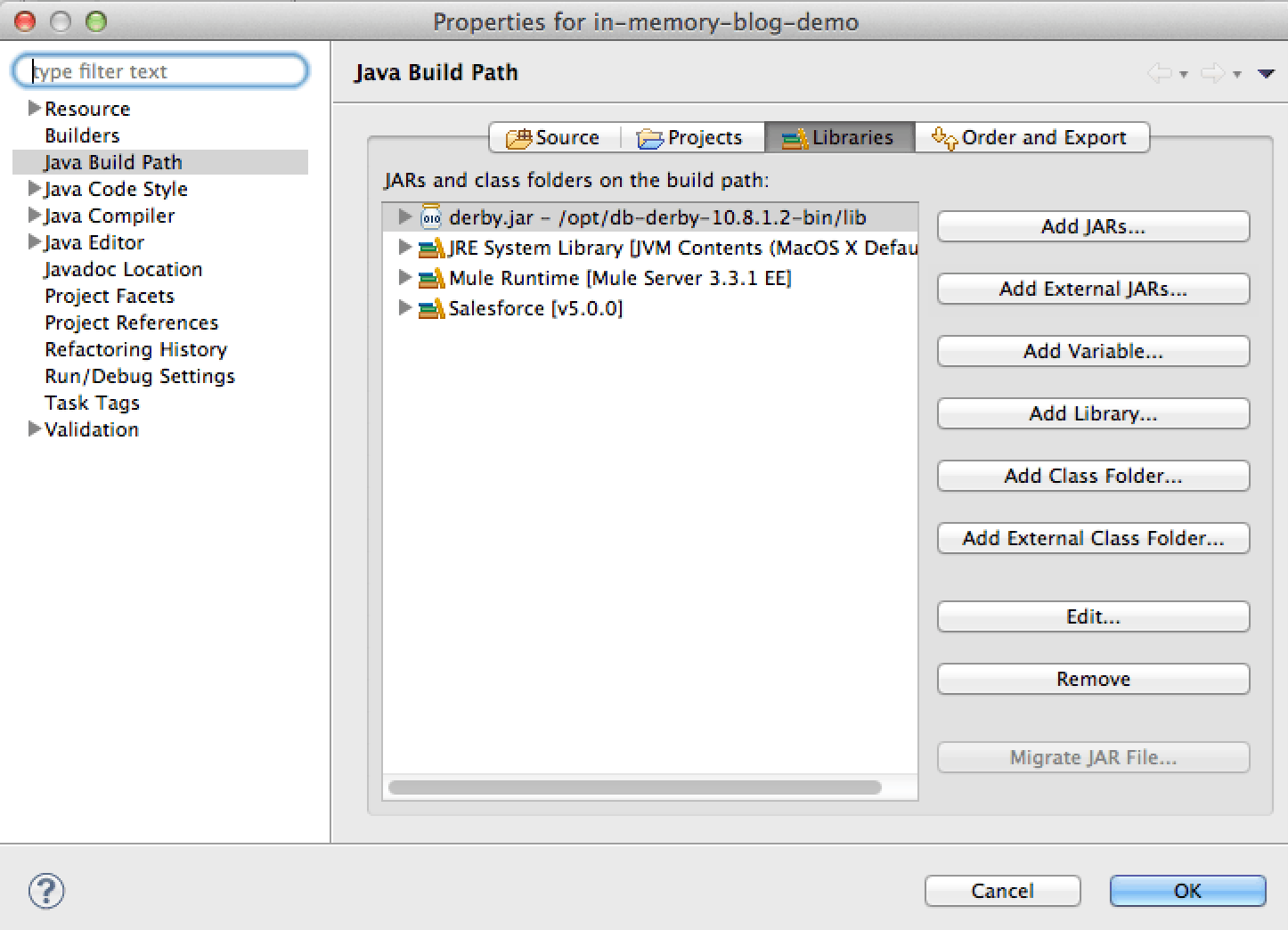
Finally, please don’t forget to include Apache Derby library in your project. Support for Derby is out of the box but the driver still needs to be added to the project manually: